
Last month, we launched a redesigned onboarding experience. Teams now get their first project set up in under 10 minutes, compared to 45 minutes before.
The old problem
Our original onboarding was overwhelming: 12 setup steps, tool integrations users might not need, and templates that didn't match their workflow.
User research revealed the core issue: people wanted to see ShipOS working with their actual project before investing time in full setup.
The new approach
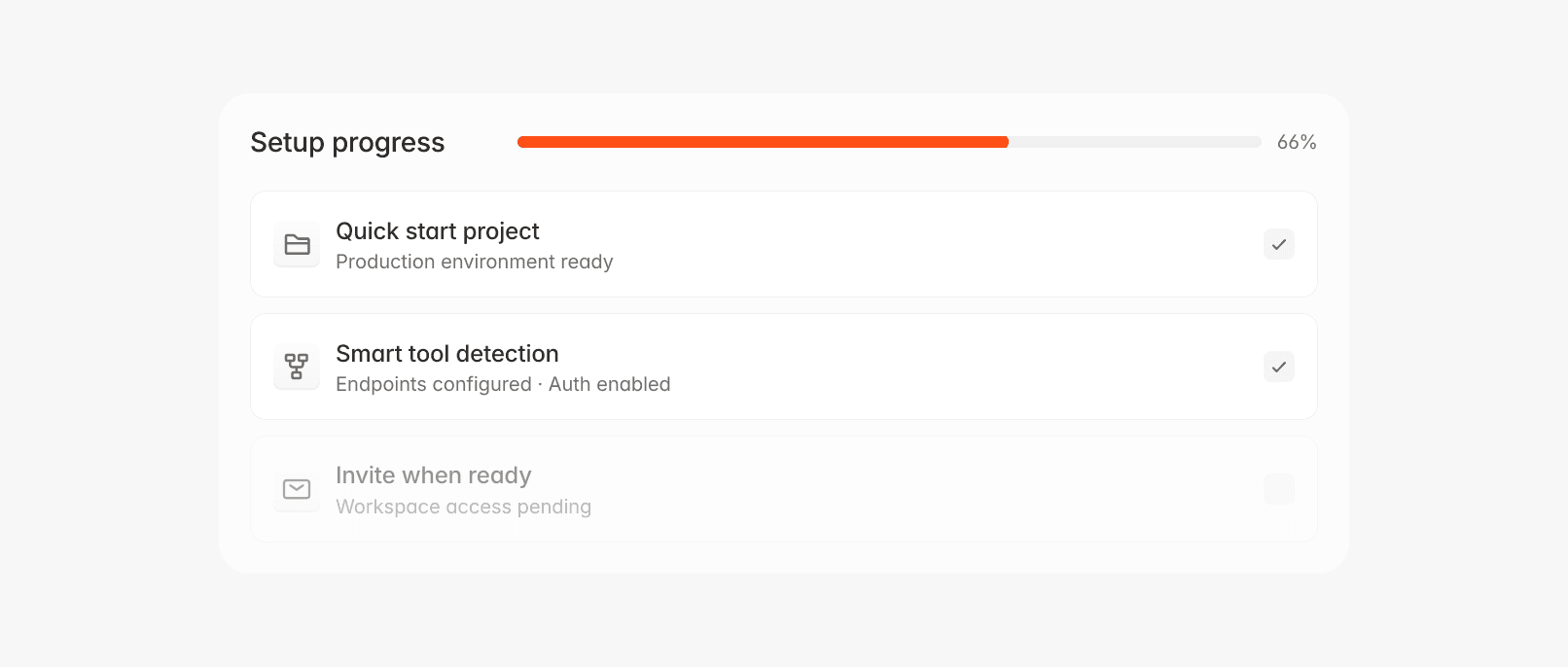
Our redesigned flow follows "value-first" philosophy:
Step 1: Quick start project
Create a real project with simple inputs: name, target date, team size. ShipOS auto-generates a realistic timeline with milestone.auto_scheduling enabled.
Step 2: Smart tool detection
We detect common tools and offer one-click connections:
Step 3: Invite when ready
Team invitations are optional during setup. The system creates a workspace.pending_invites queue that processes when you're ready.
Our API makes project creation simple:
Key improvements
Progressive disclosure: Shows advanced features only when needed. Essential controls appear first, with power-user options clearly marked as [Advanced].
Contextual help: Provides assistance exactly when needed, not upfront tutorials. Each form field includes a help.tooltip that appears on hover.
Smart defaults: Eliminate decision fatigue. Templates automatically adjust based on team.size and email.domain indicators.
Real-Time Preview: Users see a live preview of their timeline as they configure. This eliminates anxiety about not knowing what they're creating.
Results
The numbers speak for themselves:
Setup time: 45 minutes → 8 minutes
Completion rate: 67% → 89%
Time to first value: 2.3 days → 18 minutes
Satisfaction score: 3.2/5 → 4.6/5
Teams are shipping their first project 40% faster, indicating better onboarding leads to better outcomes.
Good onboarding isn't about showing features—it's about helping people succeed quickly.
Mei Lin
·